
 Security Product Engineering
















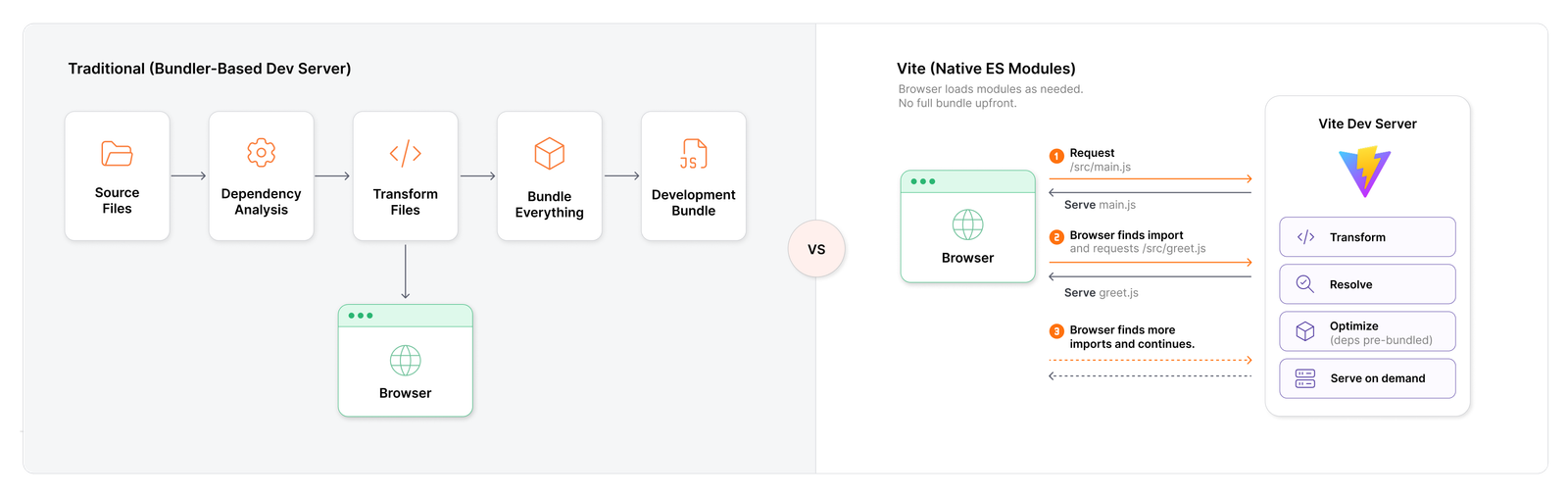
Part 1 explored why Vite was created and how it changed the traditional frontend development experience. This part goes one step deeper into what actually happens after running npm run dev.
The Vite request lifecycle, step by step
This part follows the journey of a browser request from the moment this command runs:
npm run dev
This blog covers:
- How npm run dev starts the Vite development server
- How Vite serves the application's HTML
- How the browser loads JavaScript using Native ES Modules
- How Vite transforms JSX before sending it to the browser
- How Vite handles dependencies such as React
- What does dependency pre-bundling mean
- How Vite builds and maintains the module graph
- What happens when you change a file
- What a Hot Module Replacement (HMR) updates the browser
- How Vite's development workflow differs from production
The goal is to understand what happens between running npm run dev and seeing a React application in the browser.
How Vite uses native ES modules
Modern browsers understand JavaScript modules natively. For example.
// main.js

import { greet } from './greet.js'

greet()
The browser sees:
import { greet } from './greet.js'
and knows it needs greet.js.
Conceptually,
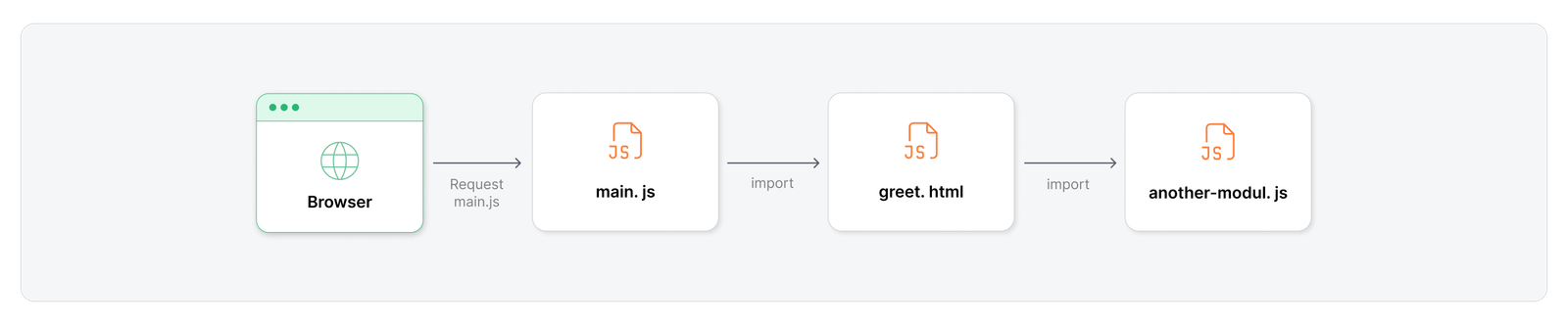
This is native ES modules, and this capability is one of the foundations of Vite's development experience.
How Vite handles a browser request
Imagine a simple React application
src/
├── main.jsx
├── App.jsx
└── components/
    └── Header.jsx
The entry file contains
// main.jsx

import React from 'react'
import ReactDOM from 'react-dom/client'
import App from './App.jsx'

ReactDOM.createRoot(document.getElementById('root')).render(
  <App />
)
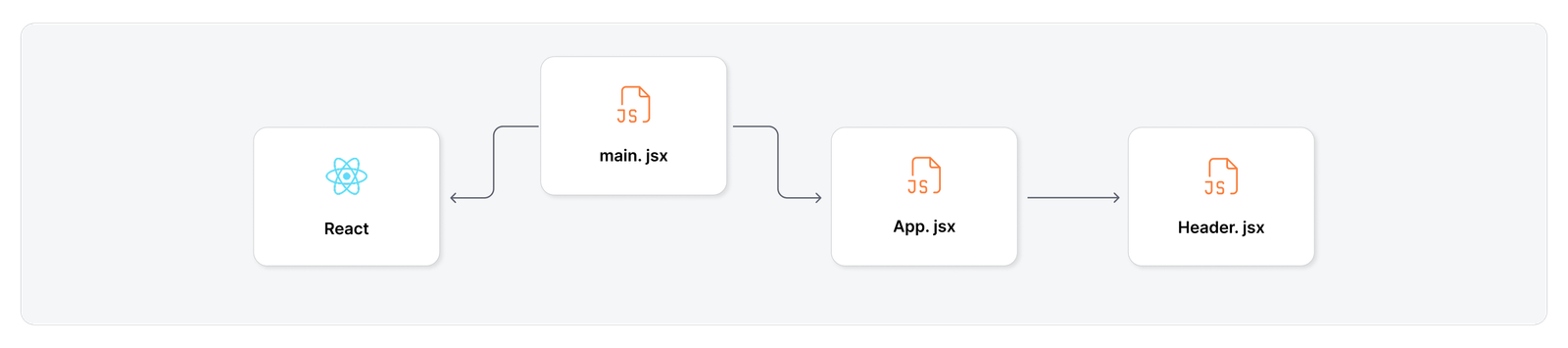
App.jsx imports Header.jsx, so the dependency graph already looks something like:
Now run:
npm run dev
and open:
These are the two steps by which Vite handles a browser request
Step 1: How Vite serves the HTML
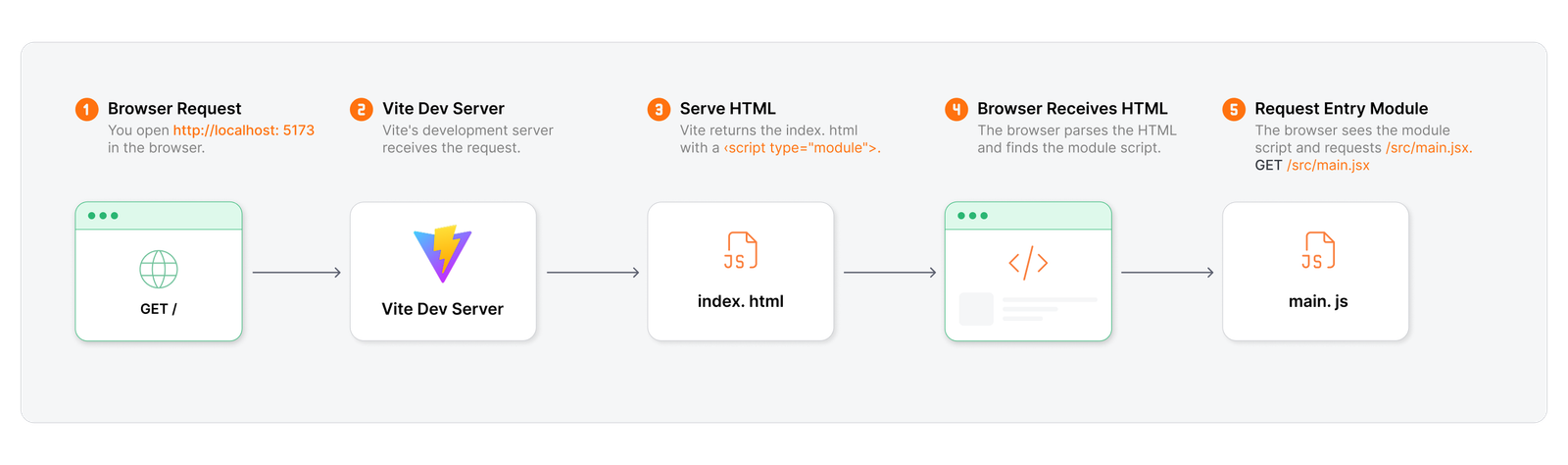
The browser first requests the application’s HTML. A simplified version contains:
<script type="module" src="/src/main.jsx"></script>
That type="module" is important. It tells the browser: "This is an ES Module. Handle its imports natively."
The browser now requests: /src/main.jsx
Vite's development server receives the request. But there's a problem. Browsers don't natively execute JSX syntax, so Vite transforms JSX into JavaScript before serving the module to the browser.
For example:
<App />
isn't valid JavaScript that the browser can execute directly. So Vite transforms the file before sending it back. The flow is roughly:
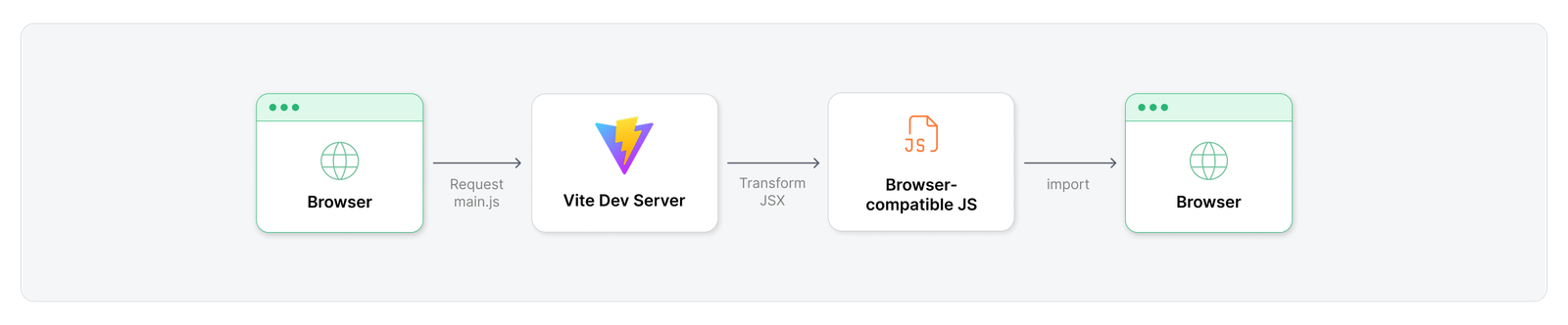
At this point, Vite has transformed only the module that was requested. The rest of the application hasn't been bundled.
Step 2: How the browser loads the application
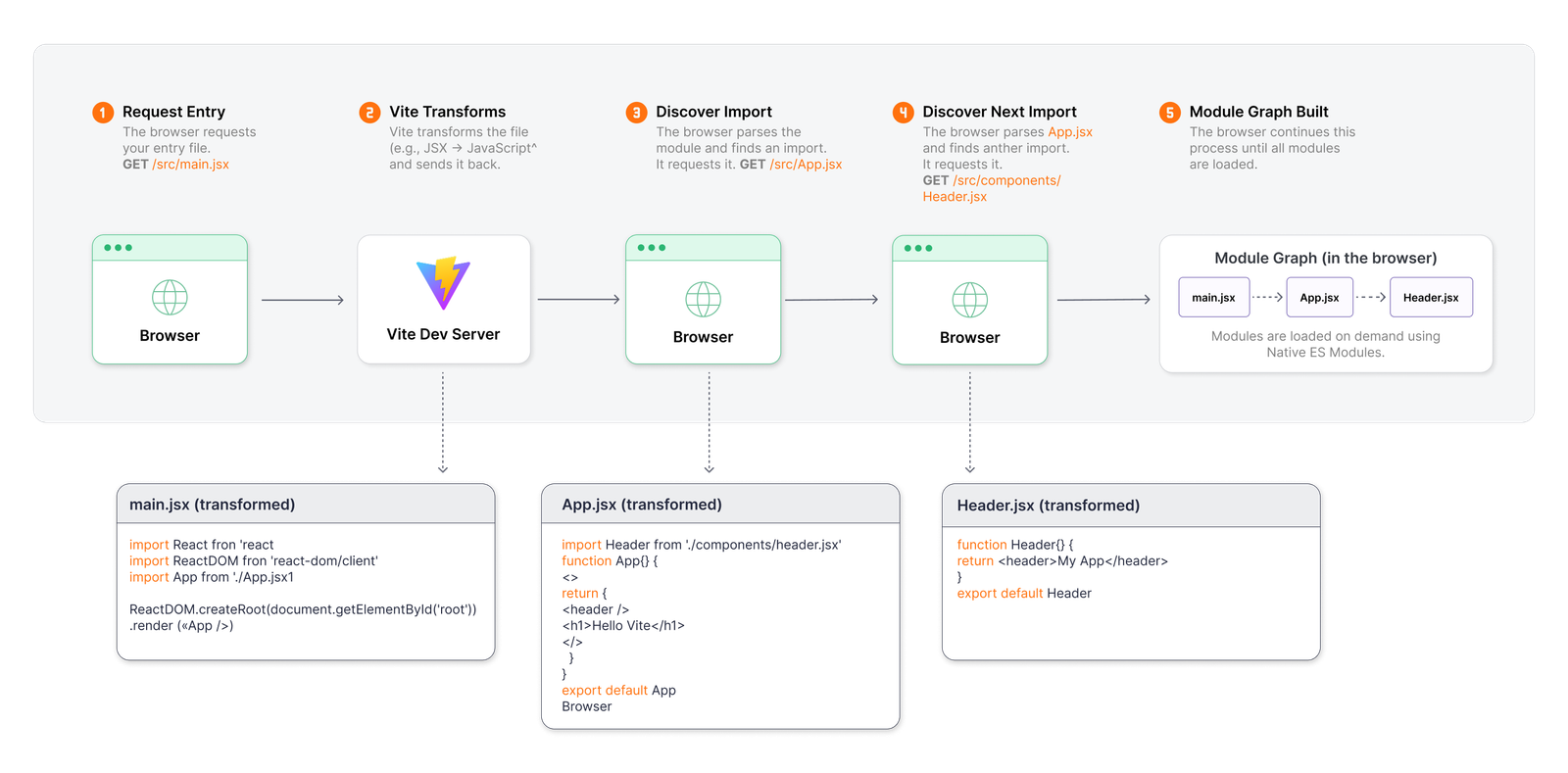
The transformed main.jsx still contains imports such as
import React from 'react'
import ReactDOM from 'react-dom/client'
import App from './App.jsx'
The browser now knows it needs these modules, so it requests App.jsx.
App.jsx imports:
import Header from './components/Header.jsx'
So, the browser requests Header.jsx too.
The process looks like:
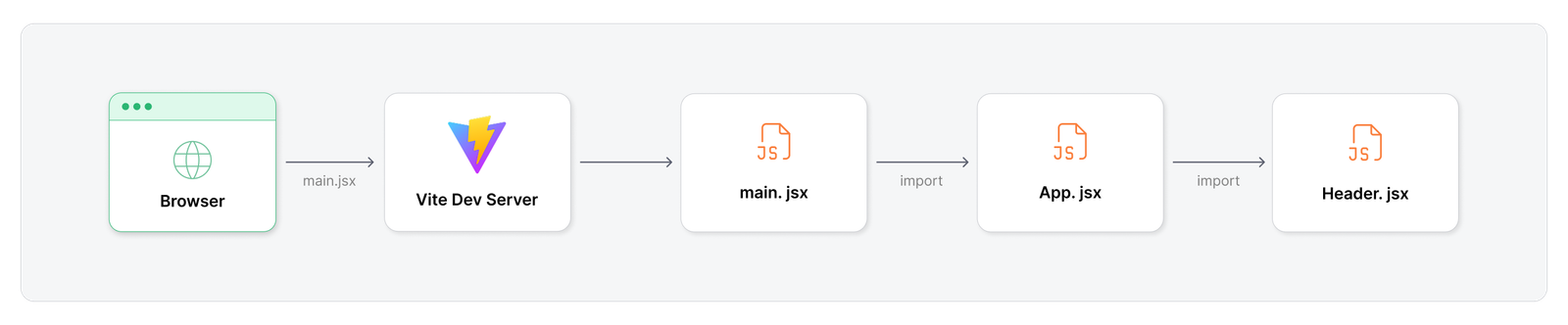
The browser loads the application's module graph as it discovers imports. This is the key difference from the traditional "bundle everything first" development model.
How Vite handles React and bare module imports
This is where an interesting problem appears. The code contains:
import React from 'react'
This is different from:
import App from './App.jsx'
The second one points to a relative file. react, on the other hand, is a bare module import. The browser doesn't know that it should look inside: node_modules/react
Vite needs to resolve and optimize these dependencies, and this is where dependency pre-bundling comes in.
How Vite pre-bundles dependencies
When the dev server starts, or when it discovers that dependency optimization is needed, Vite analyzes and pre-bundles dependencies for browser-friendly consumption. For example:
node_modules/
├── react
├── react-dom
├── lodash
└── ...
Vite can pre-bundle these dependencies using esbuild. The important distinction is pre-bundling applies to third-party dependencies. The application's own source files are still served one module at a time.
Think of it as:
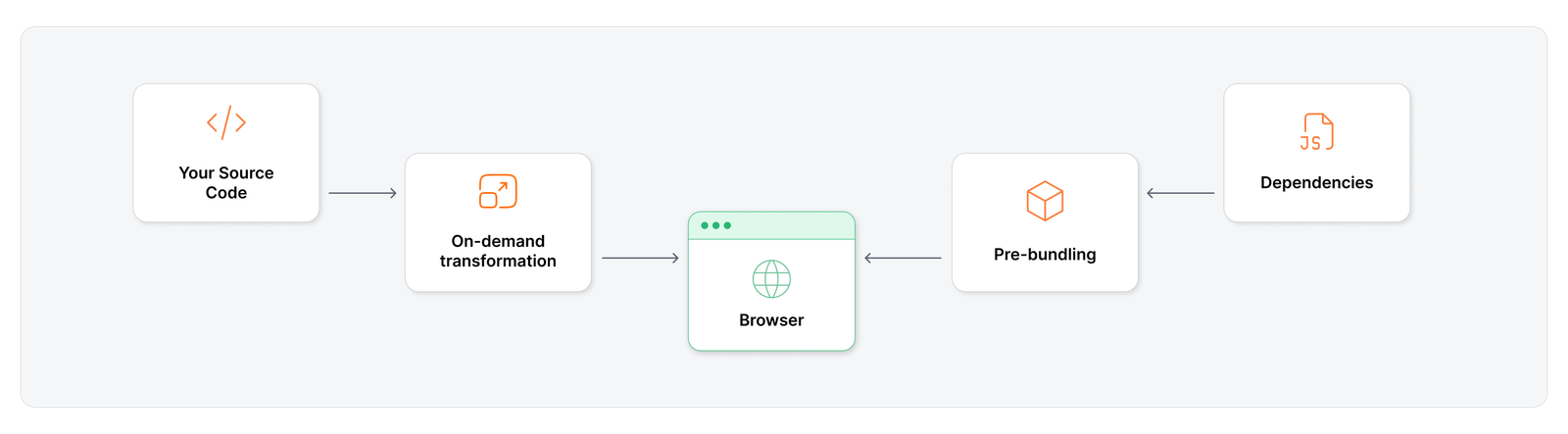
So the common claim that "Vite doesn't bundle during development" needs a small correction: Vite avoids bundling the entire application during development, while still pre-bundling dependencies when necessary.
Understanding Vite's module graph
By now, Vite understands how the modules in the application are connected:
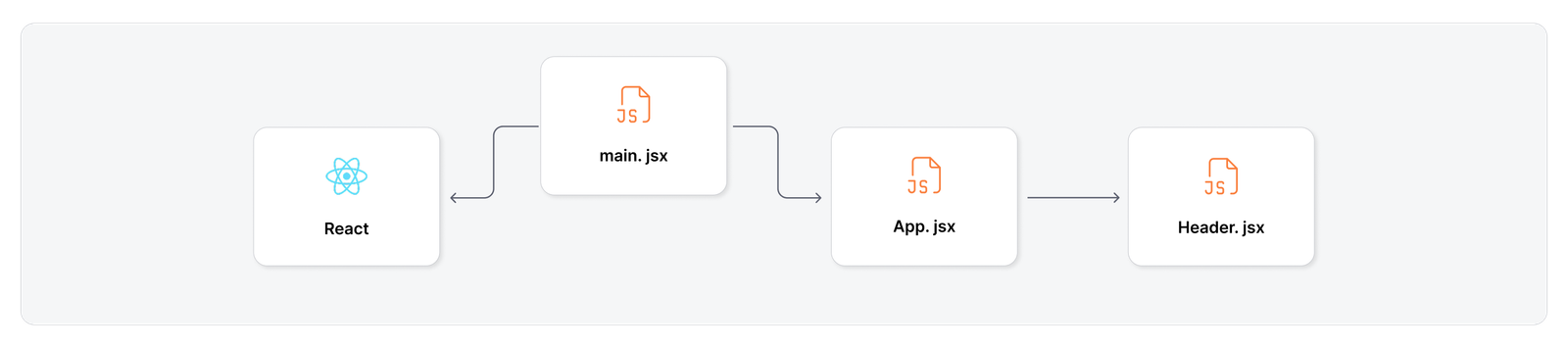
This is the module graph. Vite uses it to track relationships between modules, which becomes especially useful when something changes.
What happens when a file changes in Vite?
Imagine changing:
function Header() {
  return <header>My Application</header>
}
to:
function Header() {
  return <header>My Awesome Application</header>
}
and saving the file. What should happen? Vite detects the change. Because it knows the module graph, it can identify the affected module and communicate the update to the browser. This is where Hot Module Replacement (HMR) comes in.
Hot module replacement
The simplified flow is:
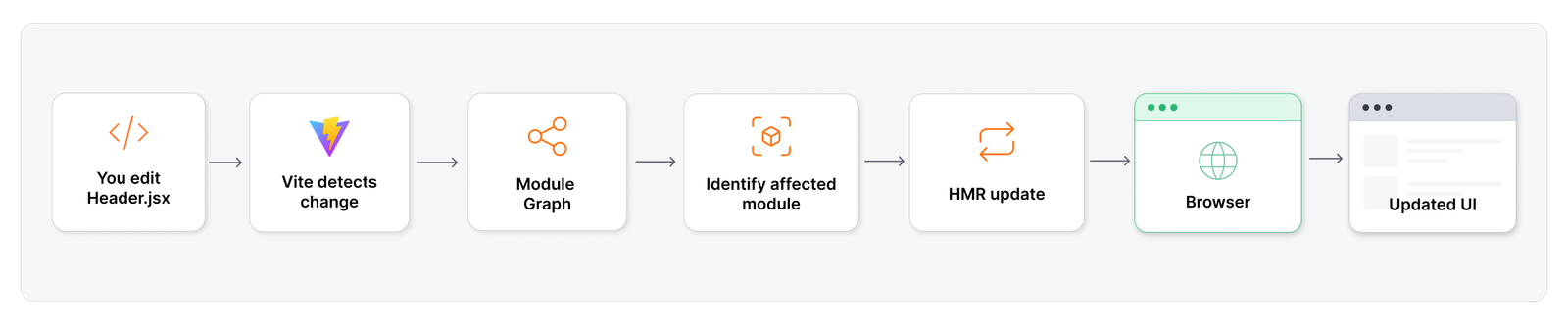
Vite maintains a connection with the browser, commonly using a WebSocket, so it can notify the browser when a module changes.
A traditional bundler rebuilds on every save and slows down as the project grows, while Vite re-transforms only the changed module and sends it straight to the browser.
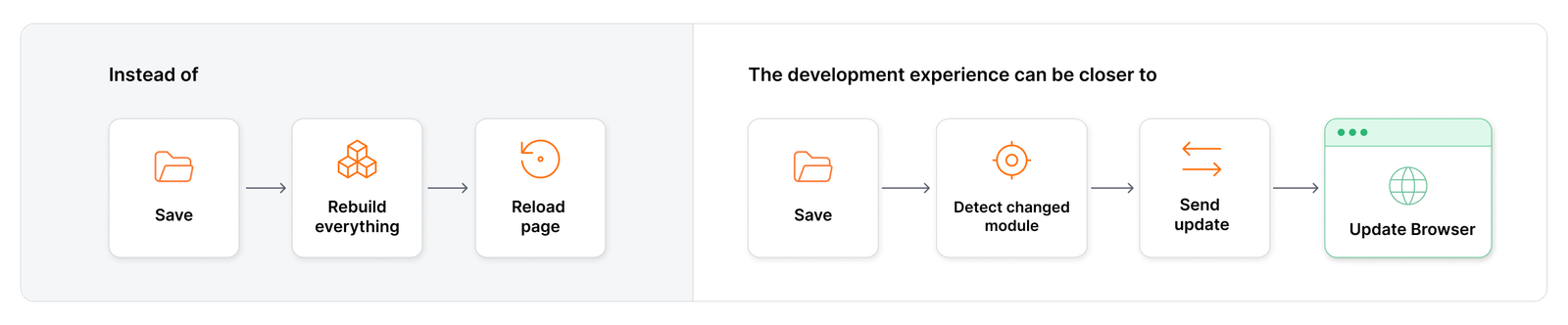
That's a big reason Vite feels so fast during development.
Understanding Vite's development architecture
Frontend development is often pictured as one long build step that produces a bundle, while Vite's model puts the browser in charge of requesting modules as it needs them.
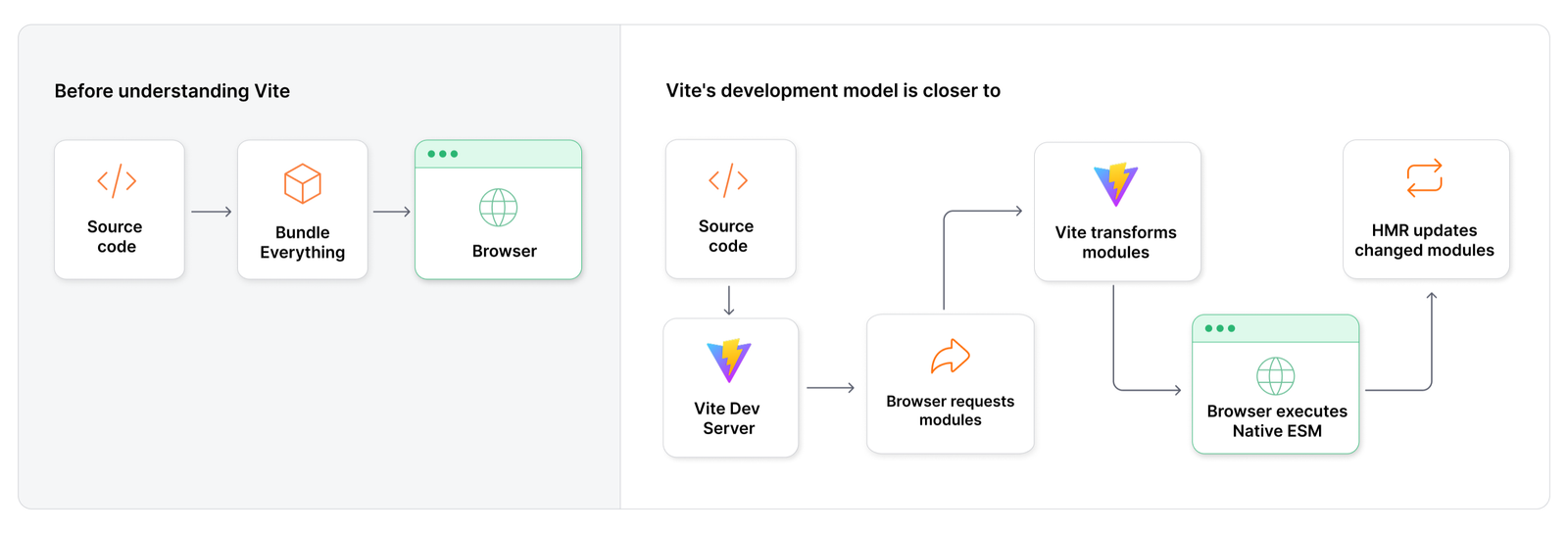
In this model, the browser requests modules as it needs them, and Vite takes advantage of that native capability. That's the important architectural shift.
Development vs production
There is one important distinction left. If Vite can serve modules individually during development, what happens when the application is deployed?
Production users shouldn't have to request hundreds or thousands of individual modules. That's why the development and production workflows are different.
Development looks like:
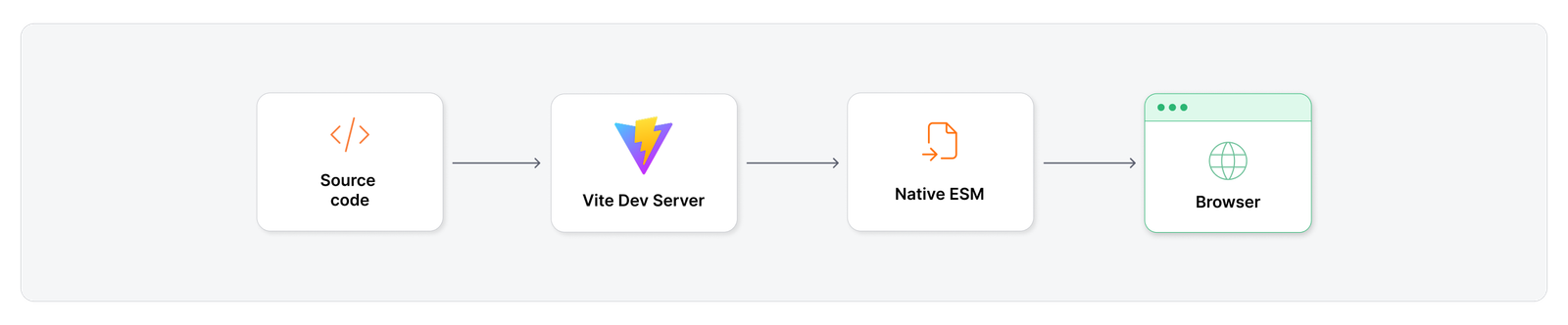
While production looks more like:
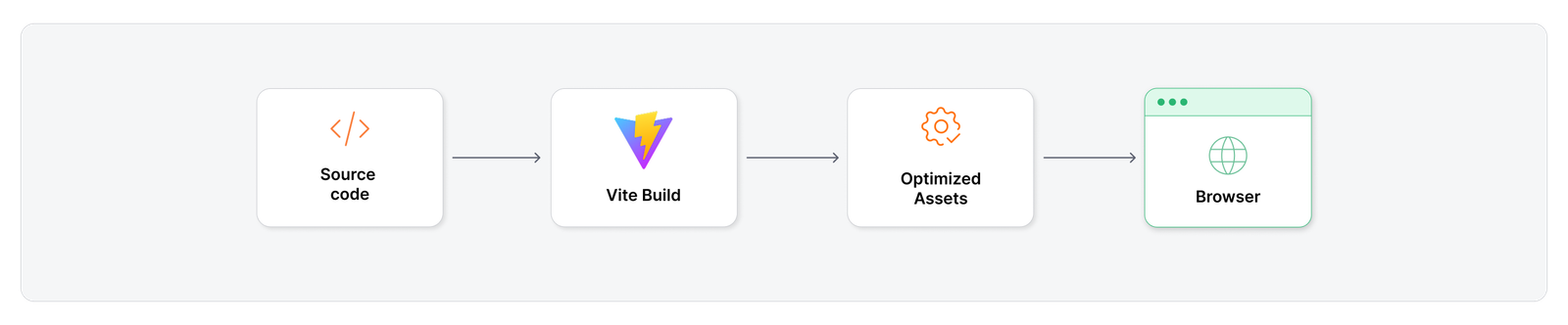
Alongside the development server, Vite also provides the production build pipeline. That's where the next part of the story begins.
A simple mental model for how Vite works
Ask "What happens when you run npm run dev with Vite?" and the short answer is "Vite starts a development server." A more complete answer looks like this:
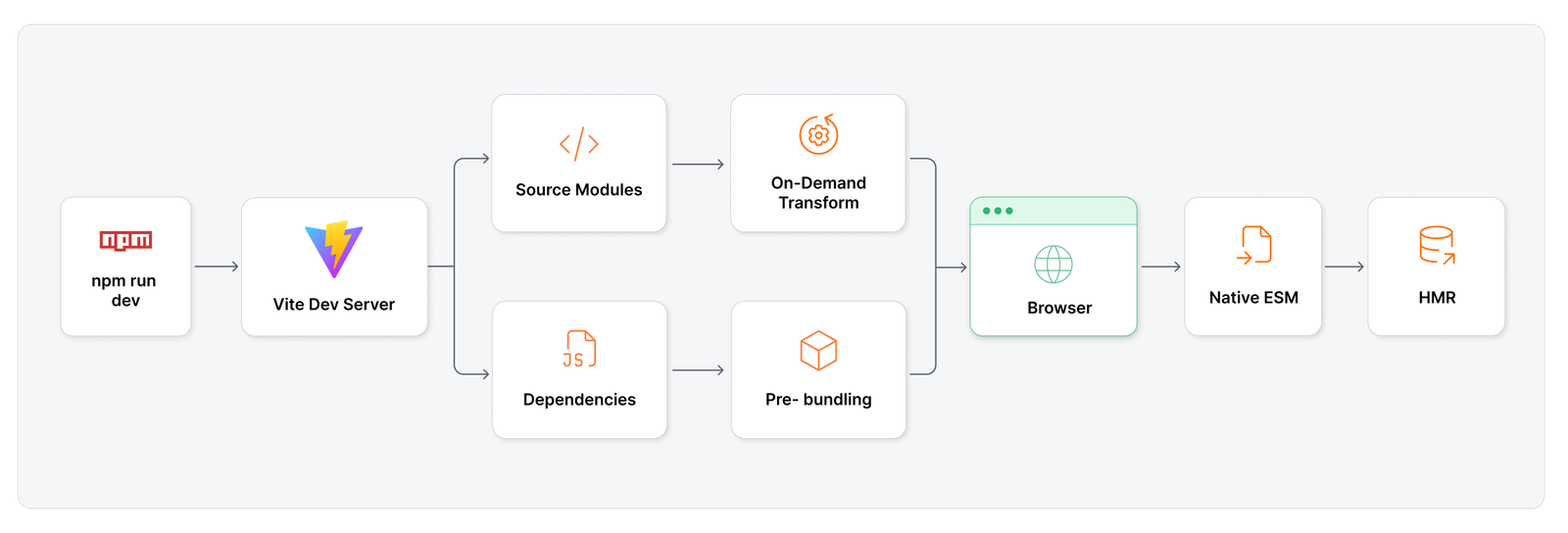
And suddenly, the "magic" behind Vite's development experience doesn't look quite so magical anymore.
Key takeaways
- Running npm run dev starts a development server that serves the application module by module as the browser requests it.
- The type="module" script tag in index.html lets the browser load the application using native ES modules.
- Vite transforms JSX into plain JavaScript on request.
- The browser builds out the module graph by following imports, from main.jsx to App.jsx to Header.jsx.
- Vite resolves bare imports like react and pre-bundles third-party dependencies into browser-friendly modules.
- Because Vite tracks the module graph, a file change is traced to the affected module and pushed to the browser over a WebSocket through HMR.
- Development serves individual modules for speed, while production bundles the application into optimized output for deployment.
Coming up in part 3
Part 3 focuses on vite.config.ts, including plugins, aliases, environment variables, server configuration, build options, and how this configuration file controls much more than the dev server.
Planning a move to Vite or modernizing a frontend build pipeline? Talk to Opcito's engineering experts.
Comments
Related Blog /Articles




Ready to transform your FinTech Application?
Explore our VAPT as a Service portfolio or speak with our team to discuss your security testing requirements.